


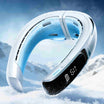




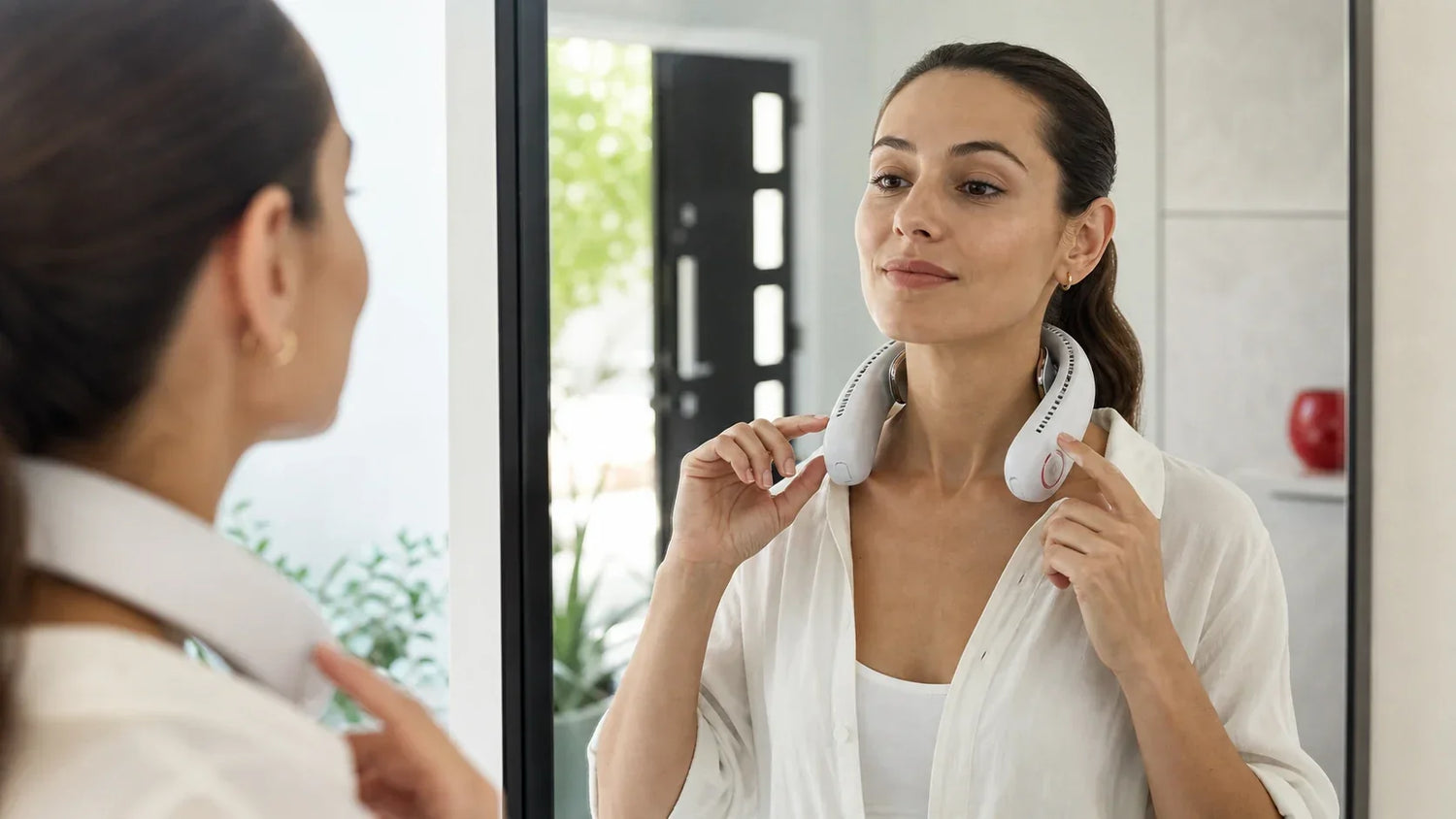
Die kurze Antwort: Legen Sie ihn auf trockene Haut, mit den Kühlplatten flach, den Lüftungsschlitzen frei, dem Gewicht ausbalanciert und der Einstellung anfangs niedrig.
Ein Nackenluftkühler sollte stabil sitzen, nicht eng.
Die Luft sollte Ihren Nacken oder Ihr Gesicht erreichen. Die Kühlplatten sollten die vorgesehene Hautstelle berühren.
Wenn das Gerät schwach wirkt, liegt das Problem oft an der Passform oder blockiertem Luftstrom – nicht an der höchsten Einstellung.
Die richtige Passform auf einen Blick

| Check | Richtig | Anpassung nötig |
|---|---|---|
| Position | Zentriert um den Hals | Verdreht oder auf einer Seite schwerer |
| Kühlplatten | Flach auf sauberer, trockener Haut | Berühren Haare, einen Kragen oder nur eine Kante |
| Lüftungsschlitze | Offen mit Raum zum Atmen | Von Haaren, Stoff oder einem Rucksackgurt bedeckt |
| Druck | Sicher ohne einzuquetschen | Drücken auf den Hals oder die obere Wirbelsäule |
| Bewegung | Bleibt an Ort und Stelle, wenn Sie den Kopf drehen | Rutscht, hüpft oder schränkt die Bewegung ein |
| Einstellung | Niedrigste Stufe, die sich angenehm anfühlt | Maximalmodus, bevor die Passform geprüft wird |
Die genauen Kontaktpunkte variieren je nach Modell.
Befolgen Sie immer zuerst die Diagramme in Ihrem Produkthandbuch.
So verwenden Sie eine Nackenklimaanlage in acht Schritten

1. Kühlungstyp identifizieren
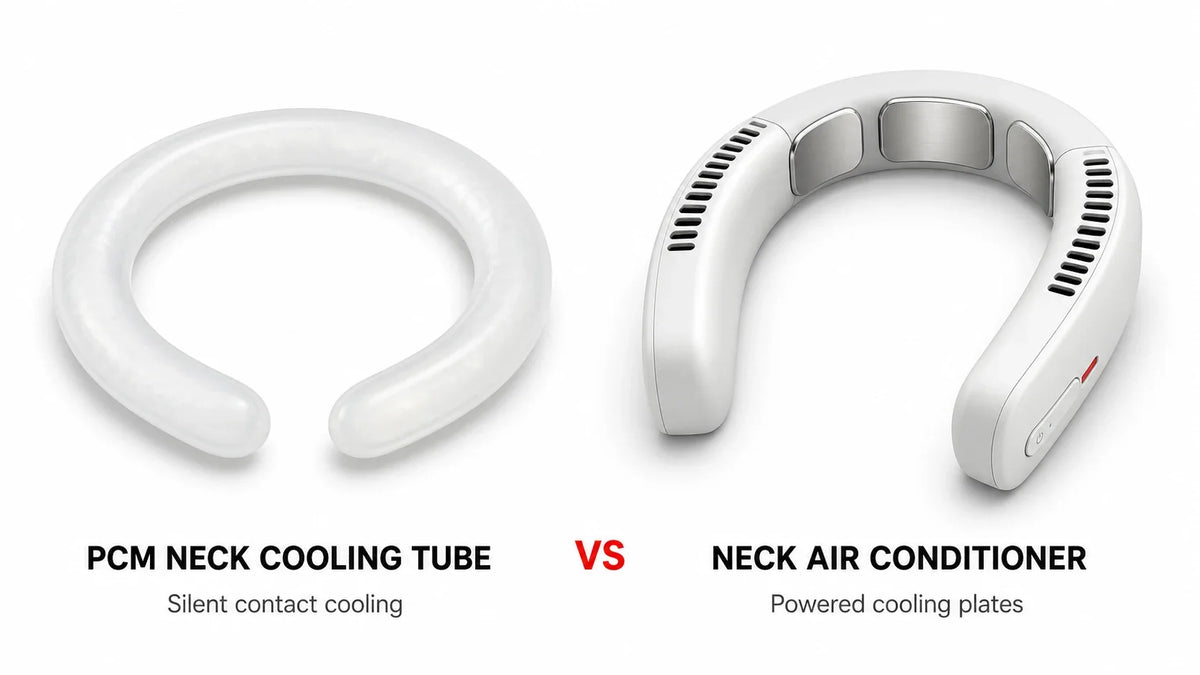
Prüfen Sie, ob Ihr Produkt nur ein Ventilator ist oder aktive Kühlplatten verwendet.
Ein Nur-Ventilator-Modell bewegt Umgebungsluft. Ein Peltier-Modell bietet zusätzlich direkte Kontaktkühlung.
Bedienelemente, Laufzeit und Hautkontrollen können sich unterscheiden. Siehe unseren Leitfaden zu Ventilator vs. Peltier vs. Verdunstungskühlung falls Sie unsicher sind.
2. Vor dem Tragen prüfen
Lassen Sie das Gerät während der Kontrolle vom Hals fern.
Achten Sie auf:
-
ein gerissenes Gehäuse;
-
eine lose oder beschädigte Kühlplatte;
-
blockierte Lüftungsschlitze;
-
Schwellung oder eine veränderte Form;
-
ungewöhnliche Hitze oder Geruch; und
-
Feuchtigkeit im oder um den Ladeanschluss.
Verwenden Sie das Produkt nicht, wenn etwas falsch aussieht.
Lesen Sie den vollständigen Sicherheitsleitfaden für Nackenventilatoren für Warnungen zu Batterie, Haaren, Haut und Feuchtigkeit.
3. Haare, Haut und Kleidung vorbereiten
Binden Sie lange Haare zurück.
Entfernen Sie Schals und lose Schlüsselbänder. Halten Sie Halsketten von den Lufteinlässen fern.
Ihr Hals und das Gerät sollten trocken sein.
Entfernen Sie einen hohen Kragen von den Kühlplatten und Lüftungsschlitzen. Legen Sie kein nasses Handtuch zwischen Gerät und Haut.
4. Gerät vorsichtig öffnen
Nutzen Sie nur den in der Anleitung angegebenen Einstellbereich.
Verdrehen Sie die Arme nicht in entgegengesetzte Richtungen. Erzwingen Sie keine Verbreiterung eines starren Rahmens über das Design hinaus.
Halten Sie beide Seiten. Legen Sie das Gerät um den Hals, ohne die Haut zu kratzen oder Haare einzuklemmen.
5. Zentrieren und ausbalancieren
Platzieren Sie die Bedienelemente so, dass Sie sie erreichen können.
Beide Seiten sollten ein ähnliches Gewicht tragen. Das Gerät sollte weder nach vorne kippen noch nach hinten ziehen.
Lassen Sie vor der Kehle freien Raum. Atmung, Schlucken und Kopfbewegungen sollten sich normal anfühlen.
6. Positionieren Sie die Kühlplatten
Aktiv gekühlte Platten funktionieren am besten bei gleichmäßigem Kontakt.
Platzieren Sie sie auf den Hautstellen, die im Handbuch gezeigt werden. Viele Nacken Designs verwenden die Seiten oder den hinteren Teil des Nackens.
Legen Sie keine Haare, dicken Stoff oder Polster unter eine Platte.
Wenn nur eine Kante Kontakt hat, positionieren Sie das Gerät neu. Ziehen Sie es nicht fest, bis es schmerzt.
7. Überprüfen Sie jeden Einlass und Auslass

Finden Sie die Lufteinlässe und die Luftauslässe.
Sie befinden sich nicht immer an derselben Stelle.
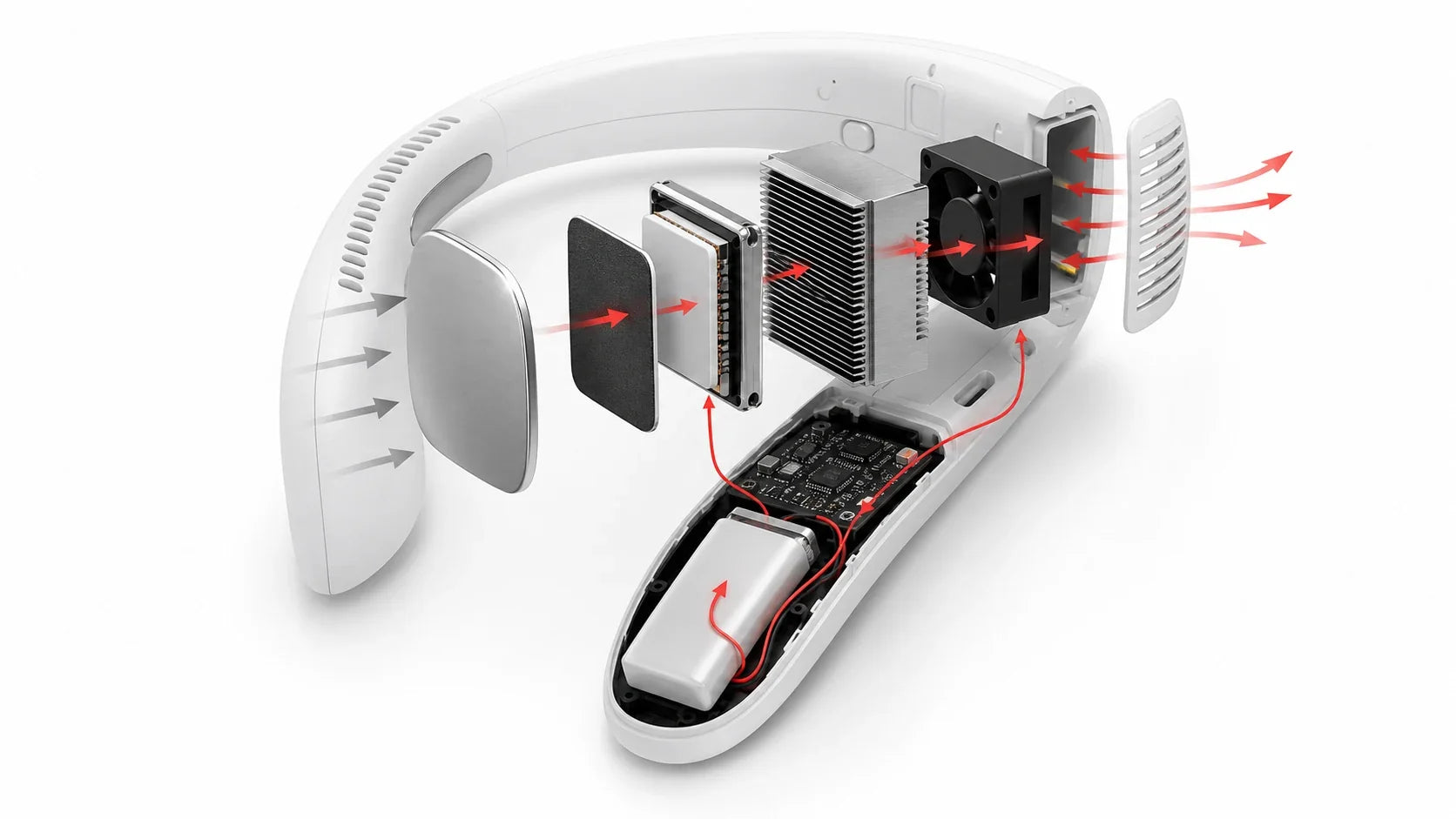
Halten Sie Haare, Kragen, Kapuzenbänder und Rucksackgurte von ihnen fern. Warme Abluft von der heißen Seite eines Peltier-Systems benötigt ebenfalls einen freien Weg.
Sony's aktuelle REON-Anleitung verwendet zum Beispiel unterschiedliche Ventilabdeckungen für Hemden mit Kragen und T-Shirts. Das Modell unterscheidet sich von einem U-förmigen Nackenklimagerät, aber das Prinzip ist nützlich: Blockierte Abluft reduziert die Leistung.[1]
8. Beginnen Sie niedrig, dann testen Sie die Bewegung
Beginnen Sie mit der niedrigsten nützlichen Lüfter- und Kühlstufe.
Warten Sie ein paar Minuten. Dann passen Sie jeweils eine Stufe an.
Drehen Sie den Kopf nach links und rechts. Schauen Sie nach unten. Gehen Sie eine kurze Strecke.
Halten Sie an und stellen Sie das Gerät neu ein, wenn es verrutscht, kneift, Haare zieht oder Ihr Gehör blockiert.
Welche Einstellung sollten Sie verwenden?
Verwenden Sie die niedrigste Einstellung, die ausreichend Komfort bietet.
| Situation | Ausgangspunkt | Was zu überprüfen ist |
|---|---|---|
| Ruhige Schreibtischarbeit | Niedriger Lüfter und mäßige Kontaktkühlung | Geräuschentwicklung, Plattenkomfort und Kragenfreiheit |
| Täglicher Arbeitsweg | Niedrig oder mittel | Verkehrswahrnehmung, Bewegung und Akkubedarf |
| Warmer Spaziergang im Freien | Mittel, wenn das Handbuch es erlaubt | Schweiß, Sonnenlicht, Stabilität und Hitzesymptome |
| Kurzer Schub stärkerer Kühlung | Eine Stufe nach der anderen erhöhen | Hautgefühl und Gerätetemperatur |
| Lange Sitzung | Niedrigere nachhaltige Einstellung | Haut, Druck, Feuchtigkeit und verbleibende Batterie |
Der Maximalmodus ist nicht automatisch der beste Modus.
Er kann Geräusch und Batterieverbrauch erhöhen. Er kann auch den Plattenkontakt unangenehm machen.
Warum fühlt sich meine Nackenklimaanlage nicht kalt an?

Prüfen Sie zuerst die einfachen Ursachen.
Die Kühlplatten berühren nicht gleichmäßig
Haare, ein Kragen oder eine schlechte Passform können einen Luftspalt hinterlassen.
Entfernen Sie das Gerät. Reinigen Sie den Kontaktbereich. Setzen Sie es wieder auf, ohne zu fest anzuziehen.
Ein Lufteinlass oder ein Auslass auf der heißen Seite ist blockiert
Peltier-Kühlung transportiert Wärme zur heißen Seite.
Wenn diese Wärme nicht entweichen kann, kann die Leistung der kalten Seite abnehmen. Halten Sie Stoff und Haare von allen Lüftungsöffnungen fern.
Sie erwarten kalte Luft von einer kalten Platte
Einige Geräte kühlen die Haut über Metallplatten, während ihr Lüfterluftstrom nahe der Umgebungstemperatur bleibt.
Lesen Sie Nackenfächer vs. Nackenklimaanlage um Luftstrom von Kontaktkühlung zu unterscheiden.
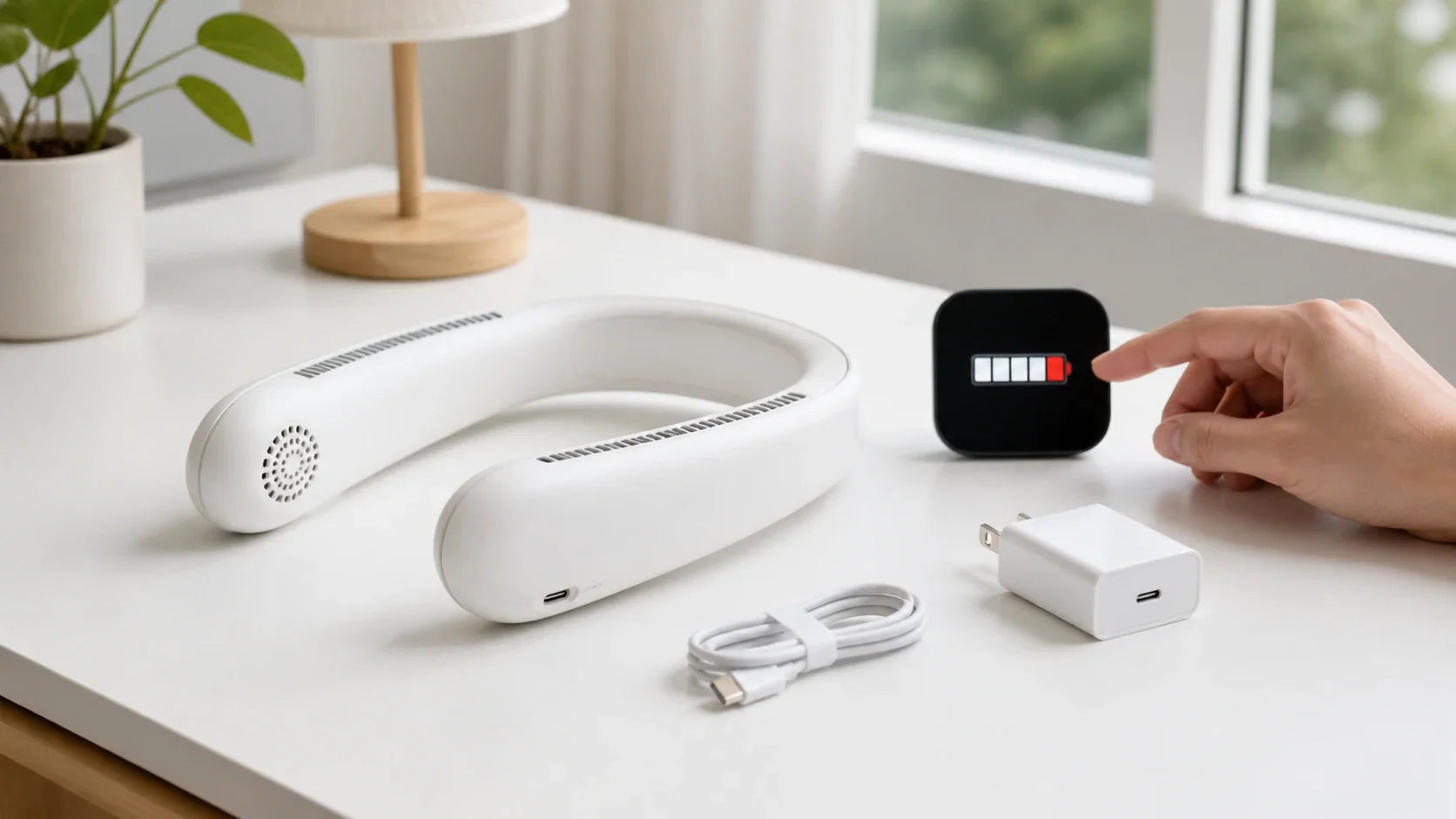
Die Batterie ist schwach
Einige Produkte reduzieren die Leistung, wenn die Batterie sinkt oder die Elektronik warm wird.
Prüfen Sie die Batterieanzeige. Befolgen Sie die Ladeanweisungen des Modells.
Ihre Haut hat sich an das Gefühl gewöhnt
Ein starkes Kältegefühl kann nach einigen Minuten nachlassen.
Erhöhen Sie die Einstellung nicht weiter, nur um das erste Gefühl wiederherzustellen. Entfernen Sie das Gerät und prüfen Sie stattdessen die Haut.
Warum kommt warme Luft aus dem Gerät?
Warme Abluft kann bei einem aktiven Peltier-Gerät normal sein.
Die Kaltplatte nimmt Wärme auf. Die heiße Seite gibt diese Wärme plus elektrische Energie ab.[2]
Die warme Abluft sollte durch den dafür vorgesehenen Auslass entweichen. Sie sollte nicht durch einen Kragen eingeschlossen oder unangenehm auf die Haut gerichtet werden.
Stellen Sie die Verwendung des Geräts ein, wenn das Gehäuse ungewöhnlich heiß wird, das Gebläse abnormal klingt oder das Produkt wiederholt abschaltet.
So verbessern Sie den Sitz des Nackenventilators

| Problem | Schnelle Korrektur |
|---|---|
| Druck auf den Hals | Abnehmen, neu zentrieren und die innere Einstellung reduzieren |
| Druck auf die Wirbelsäule | Anheben und im zulässigen Einstellbereich ausbalancieren |
| Rutschen oder Springen | Beide Seiten ausbalancieren und plötzliche Bewegungen reduzieren |
| Haarziehen | Ausschalten, abnehmen und das Haar vom Auslass befreien |
Nicht zum Laufen oder für anstrengende Arbeiten verwenden, es sei denn, das genaue Handbuch erlaubt diese Aktivität.
Testen Sie die Passform mit dem Hemd, der Jacke und dem Rucksack, die Sie tatsächlich verwenden. Ein hoher Kragen kann einen Auslass blockieren oder eine Platte von der Haut abheben.
Wann sollten Sie eine Pause einlegen?
Entfernen Sie das Gerät während einer langen Sitzung regelmäßig.
Überprüfen Sie die Kontaktbereiche und wischen Sie Schweiß gemäß den Anweisungen im Handbuch ab.
Stoppen Sie sofort bei Schmerzen, Brennen, anhaltendem Taubheitsgefühl, Juckreiz, Schwellung, Blasenbildung oder Hautverfärbung. Die FDA-Richtlinien für Kältekontakttherapiegeräte verwenden diese als konservative Stoppzeichen, obwohl ein Nackenluftkühler für Verbraucher nicht derselbe Gerätetyp ist.[3]
Schlafen Sie nicht, während Sie das Gerät tragen, es sei denn, die genauen Anweisungen erlauben die Verwendung im Schlaf ausdrücklich.[5]
Verwenden Sie es nicht auf diese Weise
-
Tragen Sie es nicht mit tropfnassem Haar.
-
Bedecken Sie die Auslässe nicht mit Kleidung.
-
Legen Sie kein Eis oder ein feuchtes Tuch unter das Gerät.
-
Laden Sie es nicht, während Sie es tragen, es sei denn, das Handbuch erlaubt dies ausdrücklich.
-
Verwenden Sie kein beschädigtes oder angeschwollenes Gerät.
-
Behandeln Sie lokalen Komfort nicht als Schutz vor extremer Hitze.
Die Wasserbeständigkeit variiert je nach Modell. Ein aktuelles Sony-Wearable erlaubt zum Beispiel begrenzten Schweiß- und Spritzwasserkontakt, verbietet jedoch Regen, fließendes Wasser und Eintauchen.[4] Überprüfen Sie Ihr eigenes Handbuch, anstatt die Grenze eines anderen Produkts zu übernehmen.
Nach der Anwendung

Schalten Sie das Gerät aus, bevor Sie es abnehmen.
Überprüfen Sie die Haut- und Gerätetemperatur. Lassen Sie das Produkt vor dem Aufladen auf normale Temperatur zurückkehren.
Wischen Sie zugängliche Oberflächen wie angegeben ab. Halten Sie Flüssigkeit von Lüftungsschlitzen und Anschlüssen fern.
Lagern Sie das Gerät trocken und vor direkter Sonneneinstrahlung geschützt.
Häufig gestellte Fragen
Wo sollte ein Nackenklimagerät sitzen?
Es sollte in der im Handbuch gezeigten Position sitzen, mit ausgewogenem Gewicht, freien Lüftungsschlitzen und Kühlplatten flach auf der vorgesehenen Hautfläche.
Wie eng sollte ein Nackenventilator sein?
Fest genug, um stabil zu bleiben, aber nie so eng, dass Atmung, Schlucken, Bewegung oder Hautkomfort beeinträchtigt werden.
Sollte ein Nackenventilator die Haut berühren?
Kühlplatten erfordern in der Regel Hautkontakt. Nur-Lüfter-Auslässe müssen nicht gegen die Haut drücken.
Kann ich ein Nackenklimagerät beim Laufen tragen?
Nur wenn das genaue Handbuch dies erlaubt. Starke Bewegung und Schweiß können Passform, Luftstrom und Feuchtigkeitseinwirkung verändern.
Kann ich es den ganzen Tag verwenden?
Befolgen Sie die Sitzungslimits des Modells. Machen Sie Pausen, um Haut, Druck, Feuchtigkeit, Akkustand und Gerätetemperatur zu überprüfen.
Das Fazit
Gute Leistung beginnt mit guter Platzierung.
Halten Sie das Gerät zentriert. Halten Sie die Platten flach. Halten Sie jeden Lüftungsschlitz offen.
Starten Sie niedrig und überprüfen Sie die Passform, bevor Sie die Leistung erhöhen.
Nächster Schritt: Speichern Sie die achtstufige Einrichtungssequenz und wiederholen Sie sie, wenn sich Frisur, Kleidung oder Aktivität ändern.
Quellen
[1] Sony USA, „REON: Häufig gestellte Fragen zum Luftstrom“, zuletzt geändert am 17. Juni 2026.
[4] Sony USA, „Ist der REON POCKET oder TAG wasserdicht?“, zuletzt geändert am 17. Juni 2026.